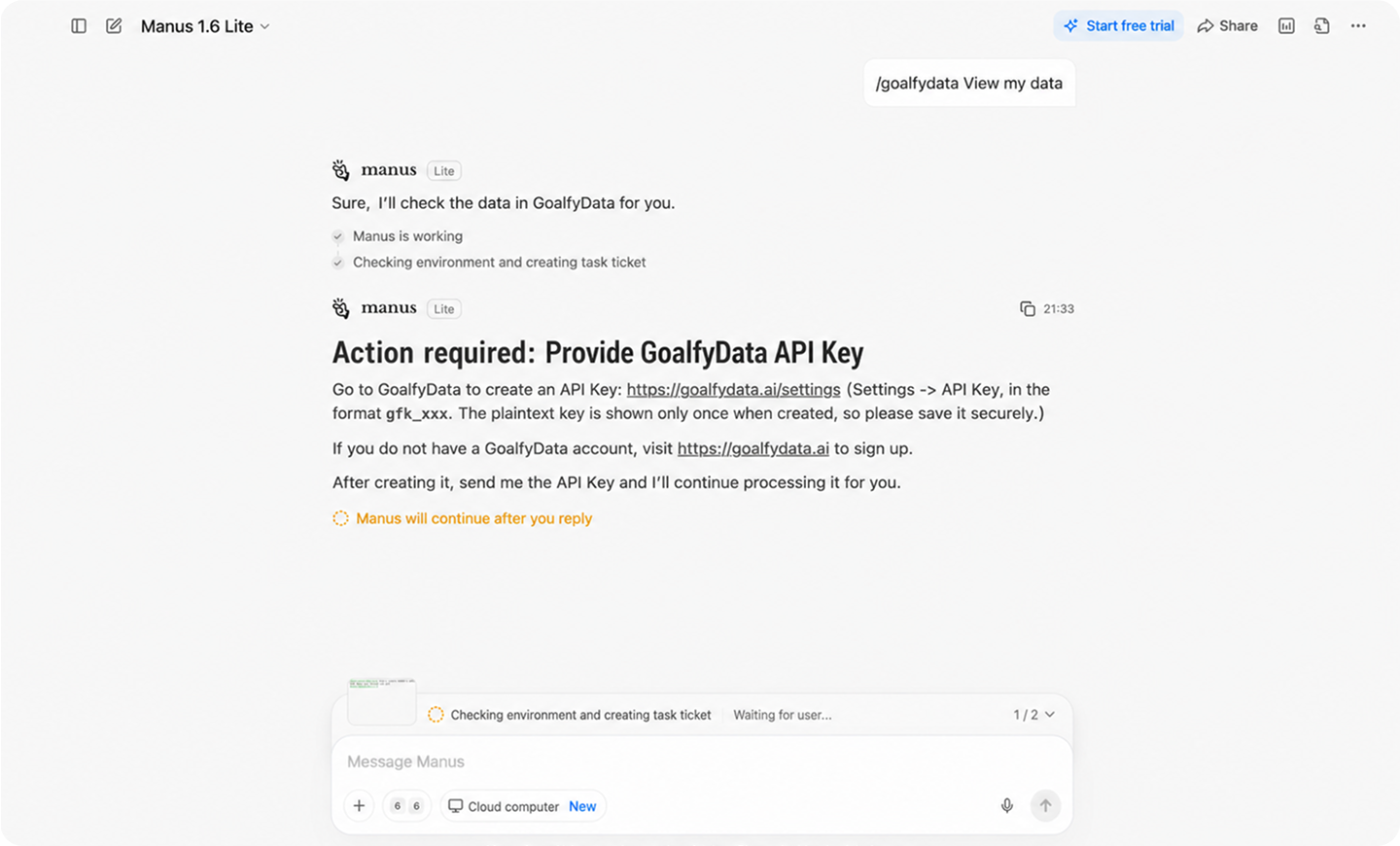
Add GoalfyData to your agent workflow
01
Get an API key
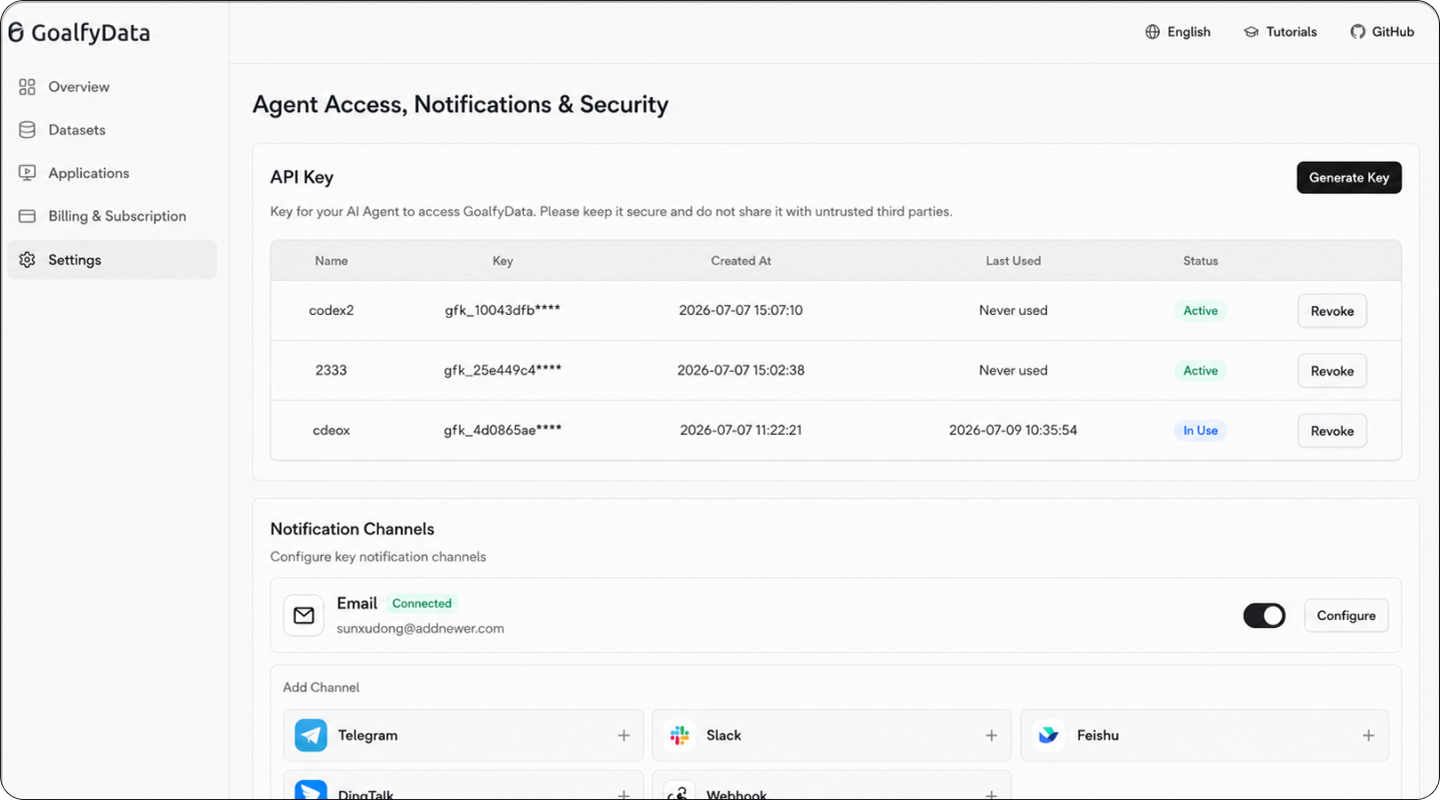
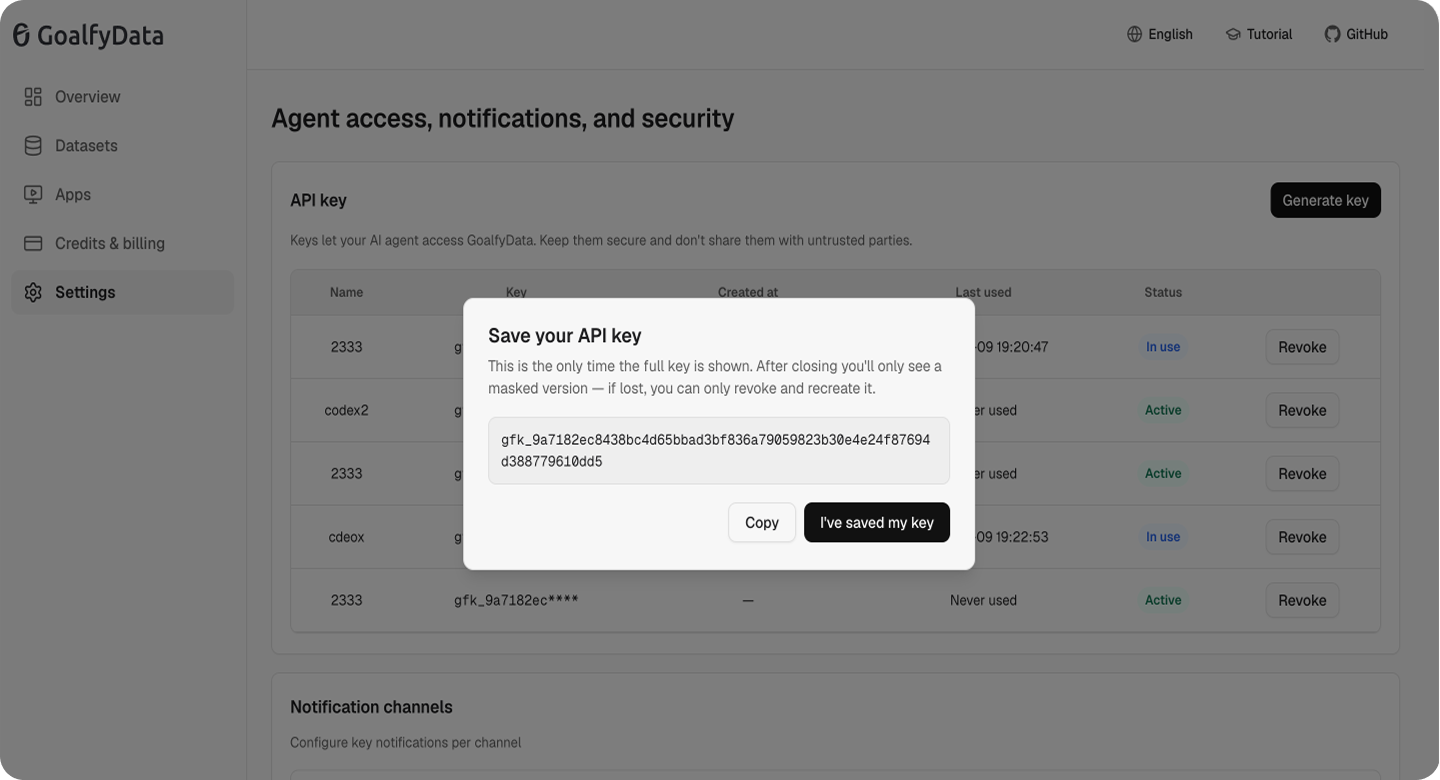
In GoalfyData, go to Settings → API Key and generate a new key.
02
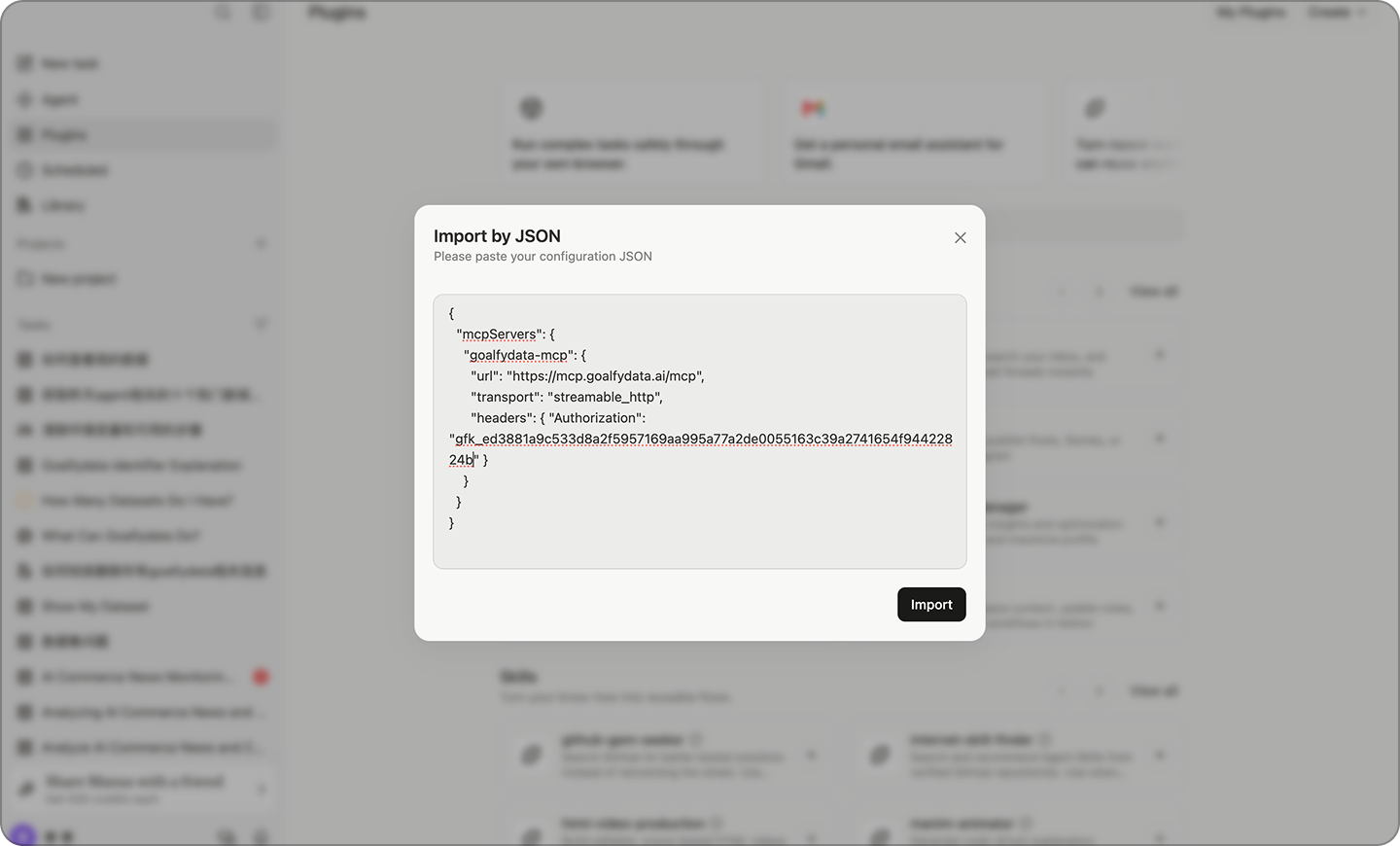
Import MCP Connector
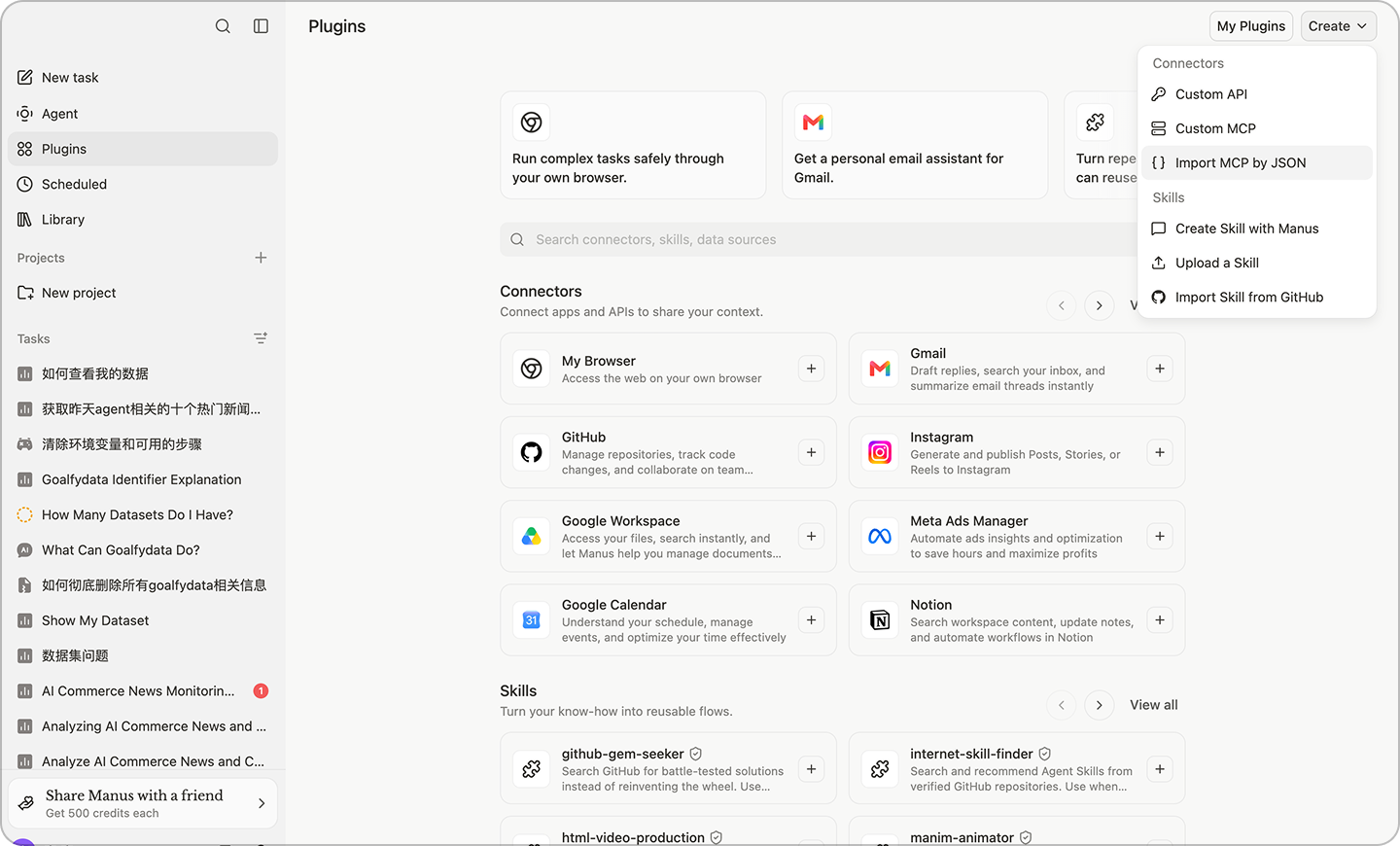
Copy the configuration and import it using the MCP JSON option in Manus.
MCP Connector JSON:
{
"mcpServers": {
"goalfydata-mcp": {
"url": "https://mcp.goalfydata.ai/mcp",
"transport": "streamable_http",
"headers": { "Authorization": "Bearer gfk_YOUR_API_KEY_HERE" }
}
}
}
03
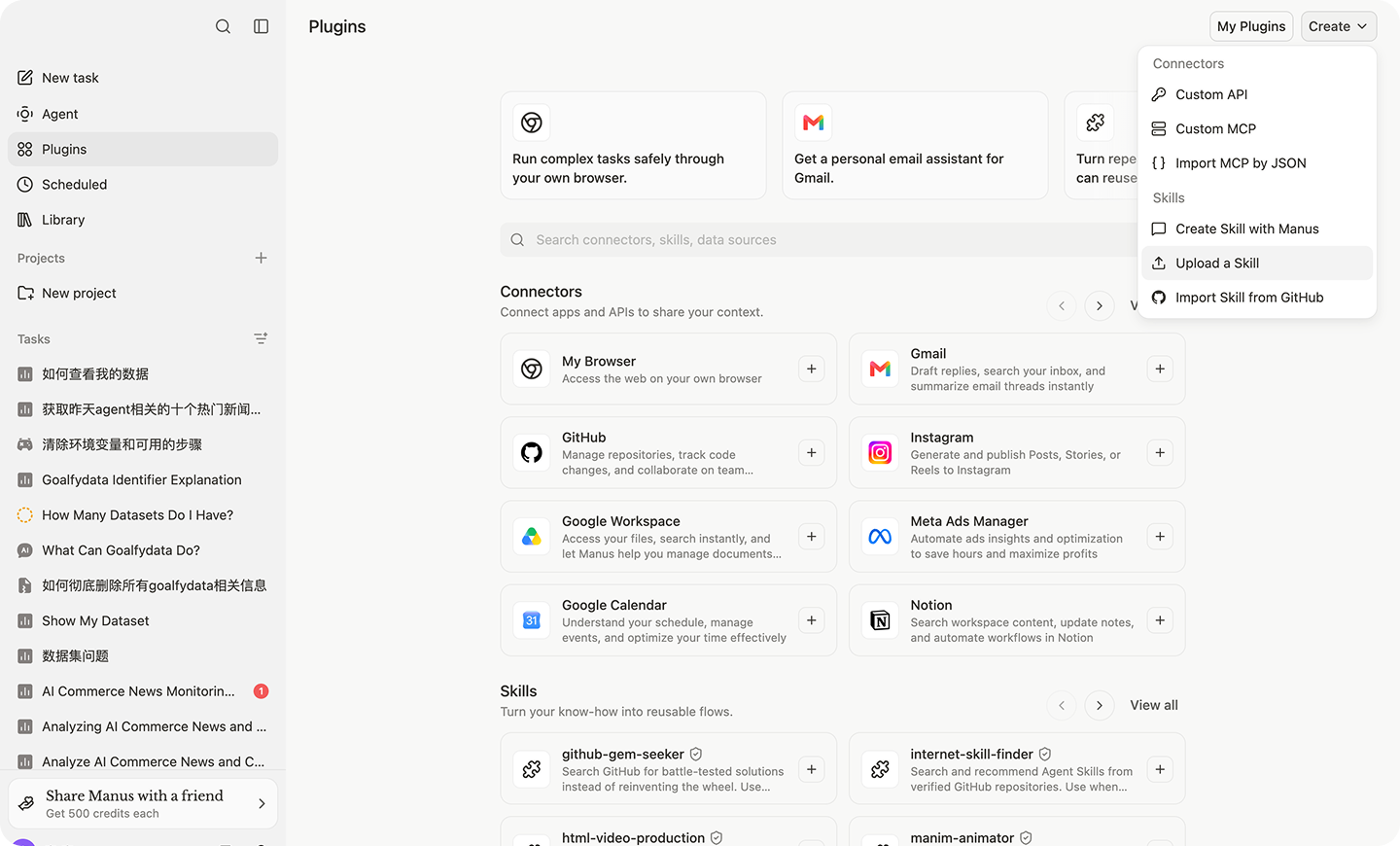
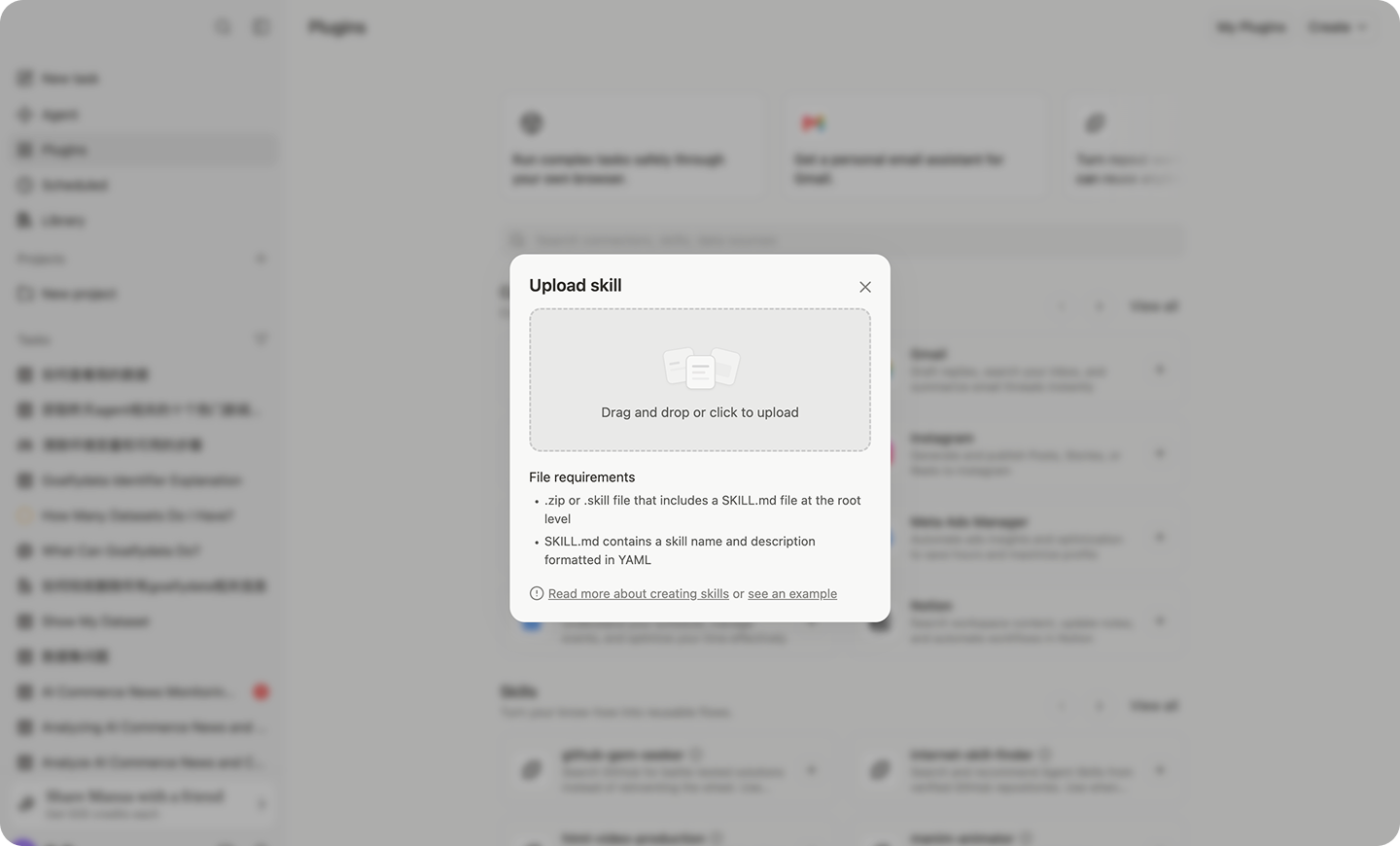
Upload Skill and Save
Upload the GoalfyData Skill and save the connector. Manus can then access data within the permissions you configure.
04
Installation Successful
Follow the prompt in Manus to complete authorization and start using GoalfyData.